| Easy to use Software |
 |
| Cost Effective |
 |
| Send Bulk SMS Instantly |
 |
| No internet connection required to send SMS |
 |
| No Limit of contacts in the list to send SMS |
 |
|
Software PAD url
|
|
 |
Group text messaging software broadcast infinite business promotional alerts SMS from PC to mobile phone |
 |
PC to Mobile SMS Software- Send Bulk SMS (Personalized or Business SMS) right from your PC |
 |
Software Overview
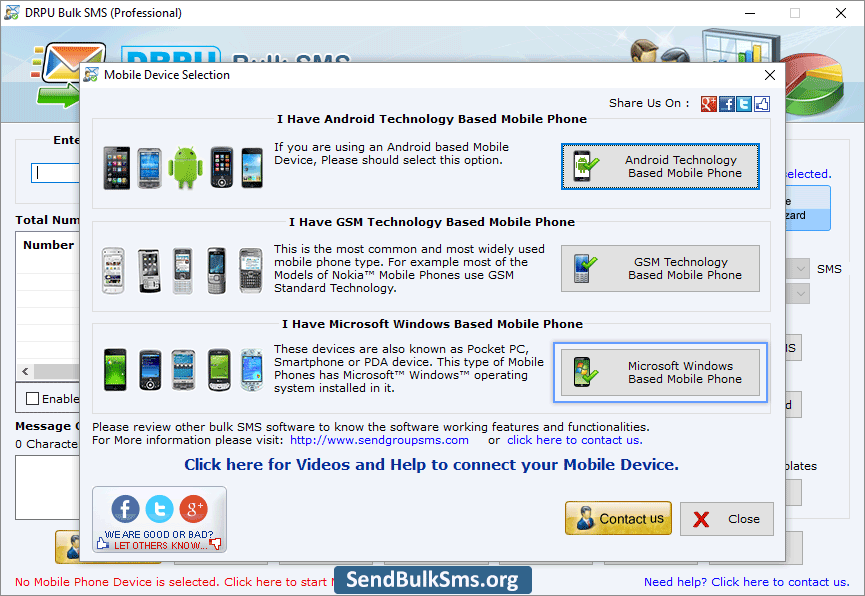
Powerful and easy to use PC to Mobile SMS Software is comprehensive solution used to send bulk text messages from personal computer to user’s mobile phone via using any Microsoft Windows OS based Pocket PC/PDA mobile device in easiest and simplest way.
Highly efficient Text messaging utility easily works with all major Microsoft Windows based mobile phone devices. Some of popular brands includes Asus, i-Mate, Acer, Toshiba, HTC Touch HD, Hitachi Pocket PC phone, HP iPAQ, Motorola MPx200, HTC Touch Dual, Siemens and other equivalent Pocket PC devices. |
|
 |
 |
- Easily and safely, send bulk sms.
- Support major Windows OS based mobile phone.
- Support all national and international mobile phone networks.
- Useful for sending personalized sms and business messages.
|
Software Features:
- Easily and safely, broadcast instant text messages from PC to any other mobile phone in just one click.
- Provides facility to load phone number either manually or imported from text file that is saved on computer and from mobile phone memory.
- Facilitate to send either standard or notification sms according to user needs and requirements.
- Provide advance option to skip duplicate number entries.
- Text messages can be send either on national or international mobile phone network in just single click.
- Does not require any internet connection to use the software.
- Provide attractive and interactive graphical user interface and easily operated by beginner and novice user without requiring any technical skills and training.
Download Free Demo:
Download free trial demo of PC to Mobile SMS Software to understand software features and functionality in advance. If satisfied, we recommend you to purchase full version of the software.
Note: Please install Microsoft mobile device center (or ActiveSync) in your computer before using PC to Mobile SMS Software. Windows Vista (or later Operating System) user should install windows mobile device center and windows XP or earlier version users should install Microsoft ActiveSync in their computer.
System Requirement:
- Processor: Pentium class or equivalent processor
- RAM: Minimum 256 MB RAM
- Free hard disk space: 10 MB free hard disk space
- Operating System: Windows Vista, XP, 2003, 2000, 98, ME, NT
|
 |
|
|
 |
|
|